Student timetable
Your real school schedule — even the weird rotating one
A/B weeks, 6-day rotations, block schedules, different rooms on different days: StudyWillow models your timetable the way your school actually runs it, then puts the right day on your home screen.
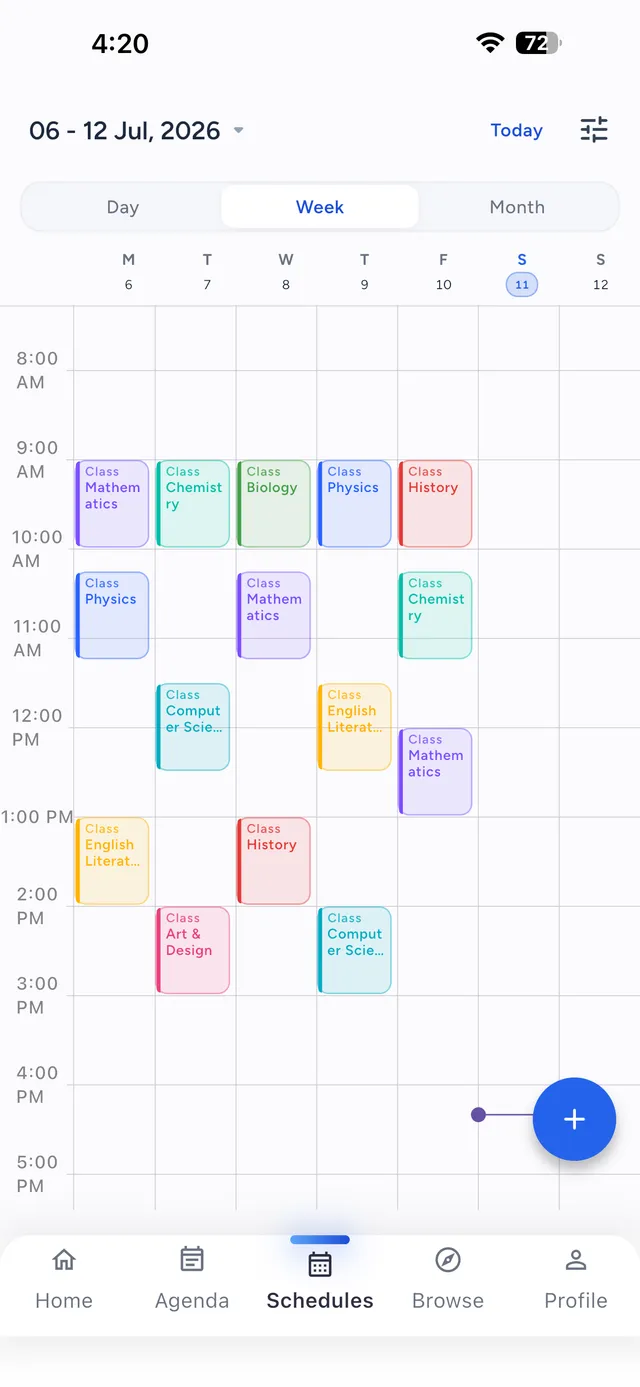
A/B weeks & rotating days
Alternating weeks, 6- or 8-day cycles, block scheduling — set the rotation once and StudyWillow always knows whether today is Day 3 or Week B.
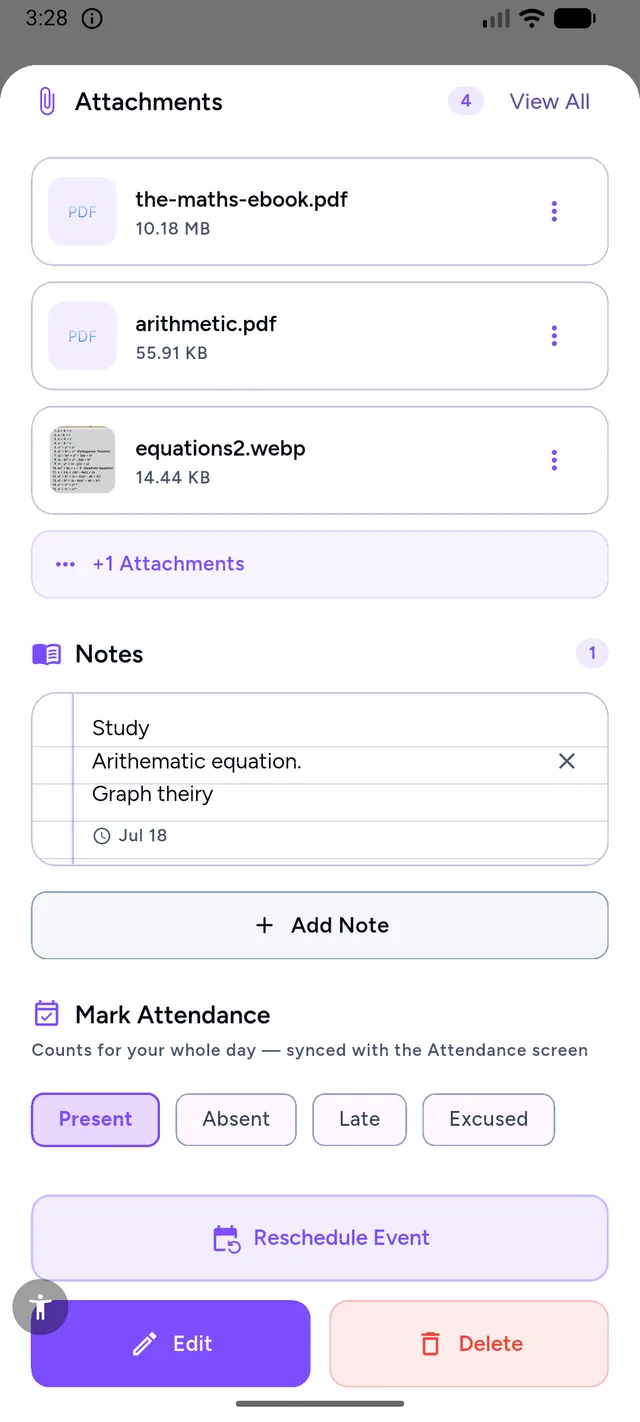
Everything about the class, in the class
Room numbers, teacher names, notes and attached files live on each lesson — tap a class to see exactly where to go and what to bring.
Widgets that answer "what's next?"
Home-screen and lock-screen widgets show your next class, the room, and the time — no unlocking, no scrolling.
Holidays handled automatically
Mark holiday periods and breaks once; your timetable, notifications and attendance stats all skip them automatically.
Set up once, correct all year
Most timetable apps break the first time your school does something unusual. StudyWillow is schedule-flexible by design:
- Multiple timetables with a default — switch between semester schedules in one tap
- Per-day period times: Wednesday's short day is not Monday's
- Class notifications before each lesson, with room and teacher in the alert
- Your timetable feeds the agenda, so free periods show real available study time
Good to know
Timetable questions
Does StudyWillow support A/B or rotating schedules?
Yes — alternating A/B weeks and rotating day cycles (like 6-day or 8-day rotations) are built in. The app always shows the correct day automatically, including after holidays.
Can I store rooms and teachers per class?
Yes. Each lesson stores its room, teacher and notes, and can differ per day — Tuesday's lesson in Lab 2, Thursday's in Room 14.
Are there timetable widgets?
Yes — home-screen widgets for today's schedule and your next class, on both iOS and Android.
What happens during school holidays?
Add your holiday periods once and StudyWillow hides classes, mutes class notifications and keeps attendance statistics accurate during breaks.
Try StudyWillow free
Timetable, homework, grades, attendance and focus — one planner that does the whole job. Free to start, on iPhone, iPad, Mac and Android.
Explore more of StudyWillow